- Home
- /
- FAQ
FAQ
✅ 1. How to register on the site?
1. At the top of the site, click the "Login" button.
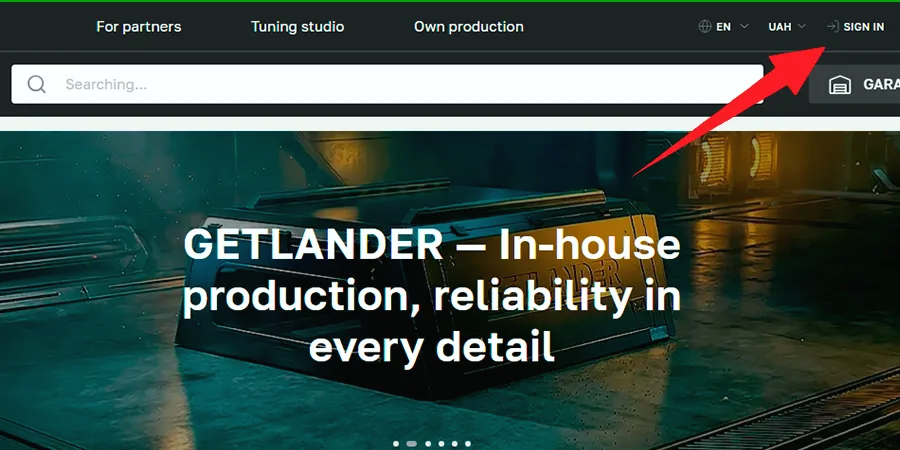
2. In the window that appears, select «I am a new customer».
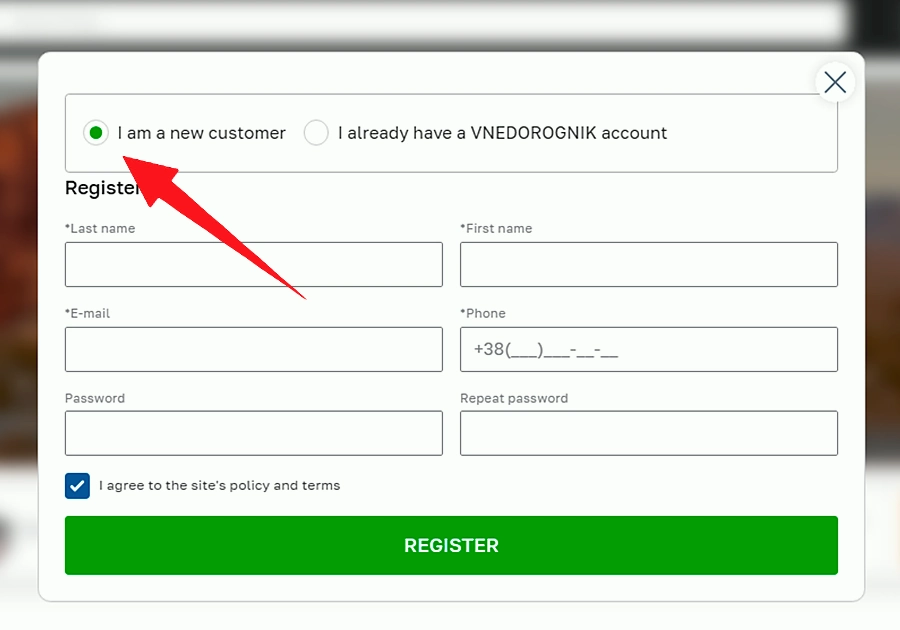
3. Fill in the required fields (Last Name, First Name, E-mail, Phone, Password), check the box to agree to the site's policy, and click the green «REGISTER» button.
✅ 2. How to access your personal account?
1. To log into your personal account, click the "Login" button at the top of the site.
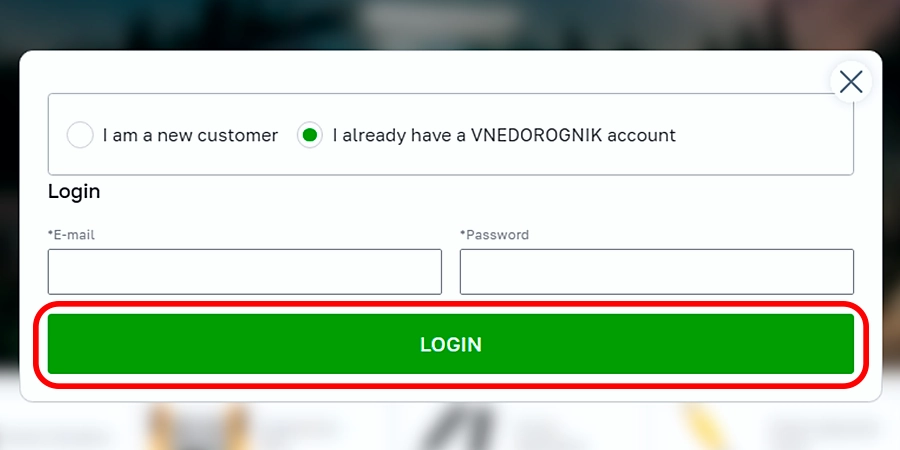
2. Select «I already have a VNEDOROGNIK account».
3. Enter your E-mail and password, then click the «LOGIN» button.

✅ 3. How to place an order?
1. Add the desired items to the cart.
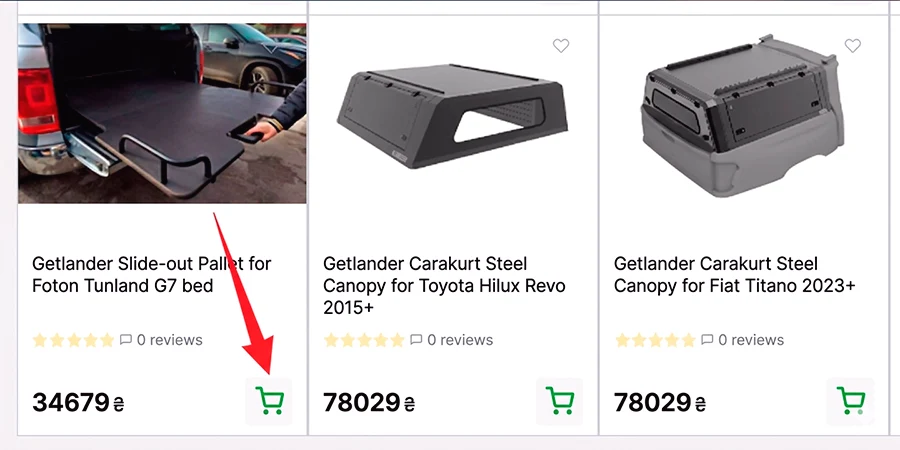
2. In the cart, click the checkout button.
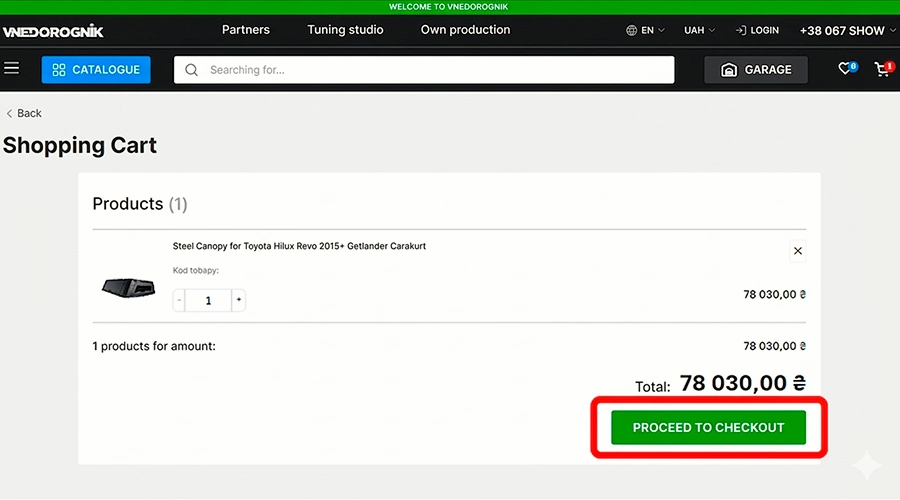
3. On the «Checkout» page, fill in the necessary details step by step:
- Provide your contact details (or log in if you have an account).
- Choose a convenient delivery type.
- Select a payment method.
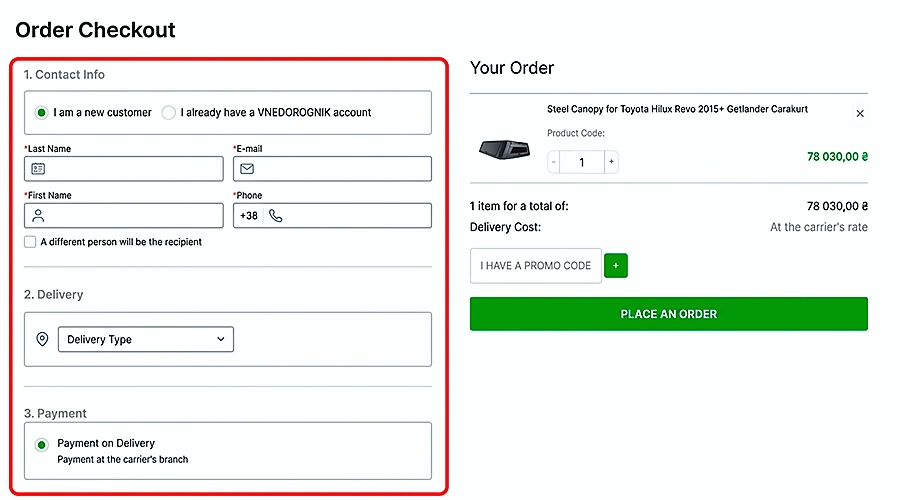
4. Check the information in the "Your order" block on the right (enter a promo code if you have one) and click the green «PLACE ORDER» button.
✅ 4. What delivery options are available?
Delivery is available via the following transport companies:
- Autolux
- Nova Poshta
- SAT
- Delivery
Pickup is also available.
✅ 5. What to do in case of a defect or poor-quality product?
Every buyer of our products, in accordance with the Consumer Protection Law, has the right to replace a product of inadequate quality with a similar one if the product cannot be used for its intended purpose, or does not satisfy them, for example: by shape, dimensions, style, color, size.
✅ 6. How to choose spare parts for your car?
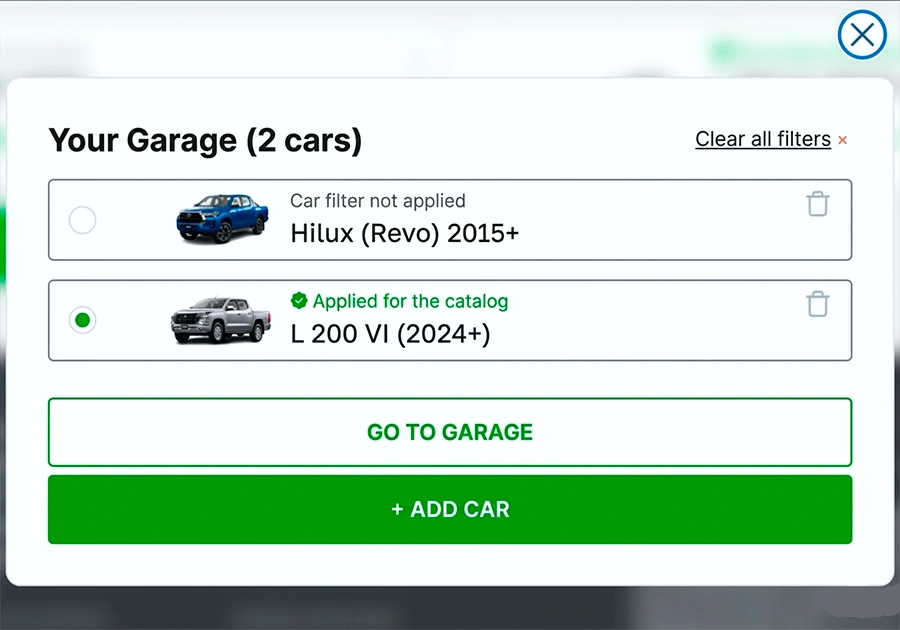
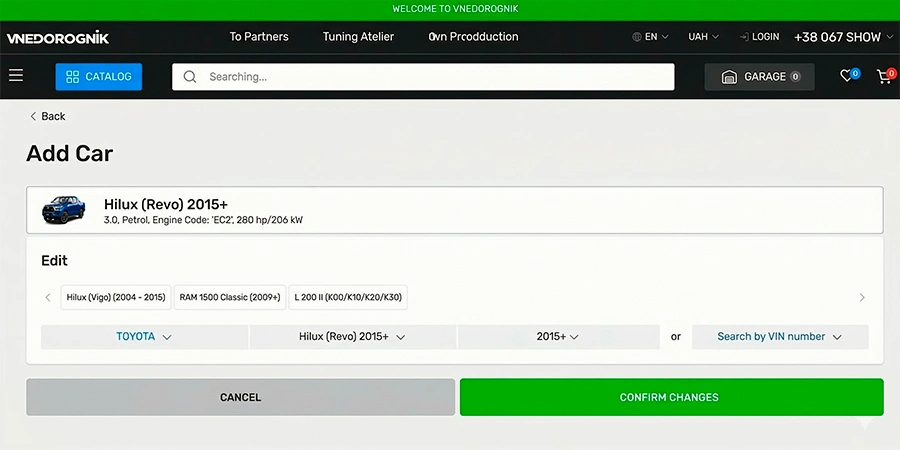
To choose spare parts for your car, you need to use the "My Garage" function. After registration, click the "My Garage" button at the top of the site.
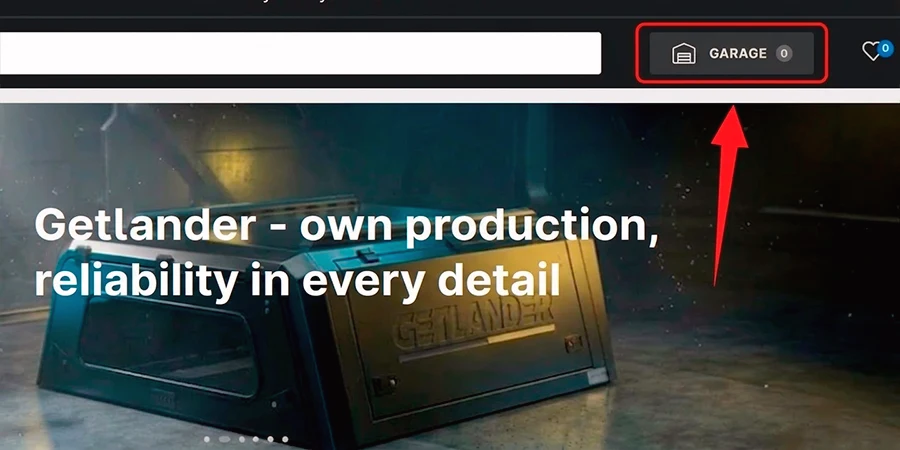
Add your car to the garage.
Select the product you need.
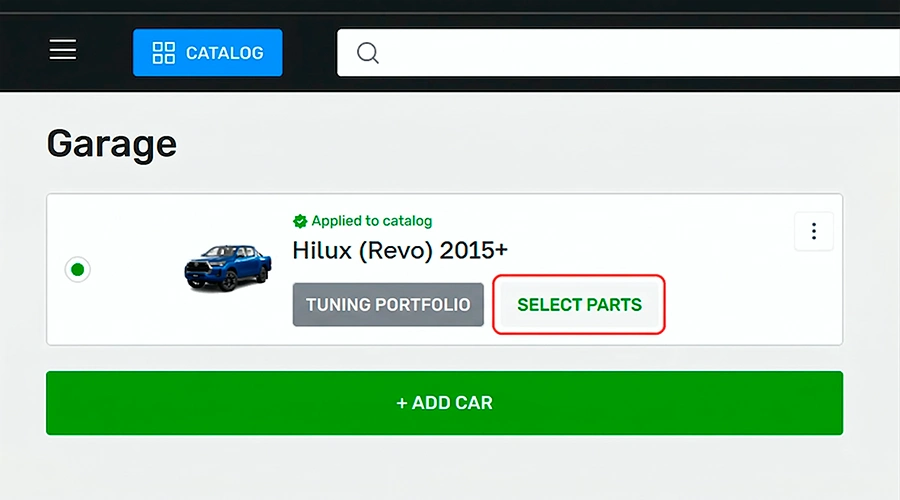
You can also add several cars and use the filter function in the "Garage" to quickly switch between them. Just select the required car from the list, and it will be automatically applied to filter the entire product catalog.